

If you searched "uptimerobot alternative" and landed here, it's probably one of two reasons: you've hit a wall with the free plan, or you're just curious what else is out there.
Here's the short answer: there isn't one right tool. It depends on how many sites you're running and where your users are. Here's a table to get you oriented in five minutes, then we'll break it down.
TL;DR
| UptimeRobot (Free) | cron + curl | WhaTap URL Monitoring (Free) | |
|---|---|---|---|
| Check locations | One default region, auto-assigned — no picking or multi-region checks | Wherever you run the script | 7 regions, checked simultaneously |
| Check interval | 5 minutes | Whatever you set up and maintain | 1–5 minutes |
| Free monitors | 50 | As many as your environment can handle | 1 |
| Alerts | Email, mobile, and a few integrations — Slack and Webhook are paid | Build it yourself | Email, mobile push |
| Response content checks | Keyword monitoring included | Build it yourself | Advanced body validation, coming soon |
| Price | Free / Solo starts at €10/mo | No tool cost, just your infrastructure | Free / starts at $5/mo |
(UptimeRobot pricing and specs confirmed via their official pricing page as of August 2026.)
UptimeRobot: A Strong Free Tier, With Some Real Limits
UptimeRobot has been the default recommendation for close to a decade, and it's easy to see why. The free plan is genuinely generous — 50 monitors, no card required, a basic status page included. If you've got a handful of sites and "email me when it's down" is enough, the free plan still covers most of what you need. That's exactly why it's still the default choice for a lot of developers juggling side projects.
Live with it long enough, though, and a few limits start to show.
The first is the check interval. A 5-minute gap means a brief outage that starts and resolves between checks can slip through entirely, with no alert ever firing.
The second is check location. On the free plan, you get a default region automatically assigned — you can't choose a region or check from multiple locations. Picking a specific region (North America, Europe, Asia, or Australia) is a paid feature. That means if your service breaks for users in one particular part of the world while looking fine everywhere else, the free plan has no way to catch it.
The third is alert channels. The free plan covers email, mobile push, and a handful of integrations. Slack requires the Solo plan, and Webhook requires Team. If you're working with a team or want alerts routed somewhere else, you'll eventually need to upgrade — plans start at €10/month and climb to €41 and €77 as you scale up. (Actual pricing may vary by currency and whether you pay annually.)
Bottom line: UptimeRobot's free tier is still a great place to start. But once the check interval, region coverage, or alert channels start to feel limiting, that's the point to start weighing other options.
cron + curl: When It's Genuinely Enough
There's also the most bare-bones option: a cron job that fires curl at your URL on a schedule and checks the response code. A few lines of code, no signup required.
This is the right call in some situations — a personal project where an outage isn't a big deal, or something you're already checking on manually several times a day. It costs nothing, and you can build exactly the checks you want.
There's one fundamental catch, though: that cron job runs on your own server. If your server goes down, whatever was watching it goes down too. (Running it on a separate VPS or GitHub Actions sidesteps that problem — but at that point you're maintaining another piece of infrastructure.)
And if you want alerts that look decent, get shared with other people, or build up a history of incidents, you'll end up building all of that yourself too. It starts simple, but add enough pieces and you'll find you've quietly built and now have to maintain your own small monitoring service.
WhaTap URL Monitoring: The Honest Differences
We're new to this space, and there's a temptation to oversell ourselves as the answer to everything. That backfires eventually, so here's what's actually different — no more, no less.
The biggest difference is check location. Where UptimeRobot's free plan is locked to a single auto-assigned region, we check from 7 regions simultaneously, even on the free plan. That means you can catch region-specific outages without ever needing to upgrade. This matters most if your users aren't concentrated in one country — think an AI app or any service pulling in traffic from around the world.
The way we check response content is a bit different too. UptimeRobot's keyword monitoring checks whether a specific word shows up. What we're building goes further — checking whether the response body matches a condition you've set, not just whether a keyword is present. That feature is still in progress. Paid plans start at $5/month.
Right now, here's what we can say with confidence: multi-region checking from the free tier, and a good fit if you're watching a small number of important URLs from a global perspective.
So, Which One Should You Use?
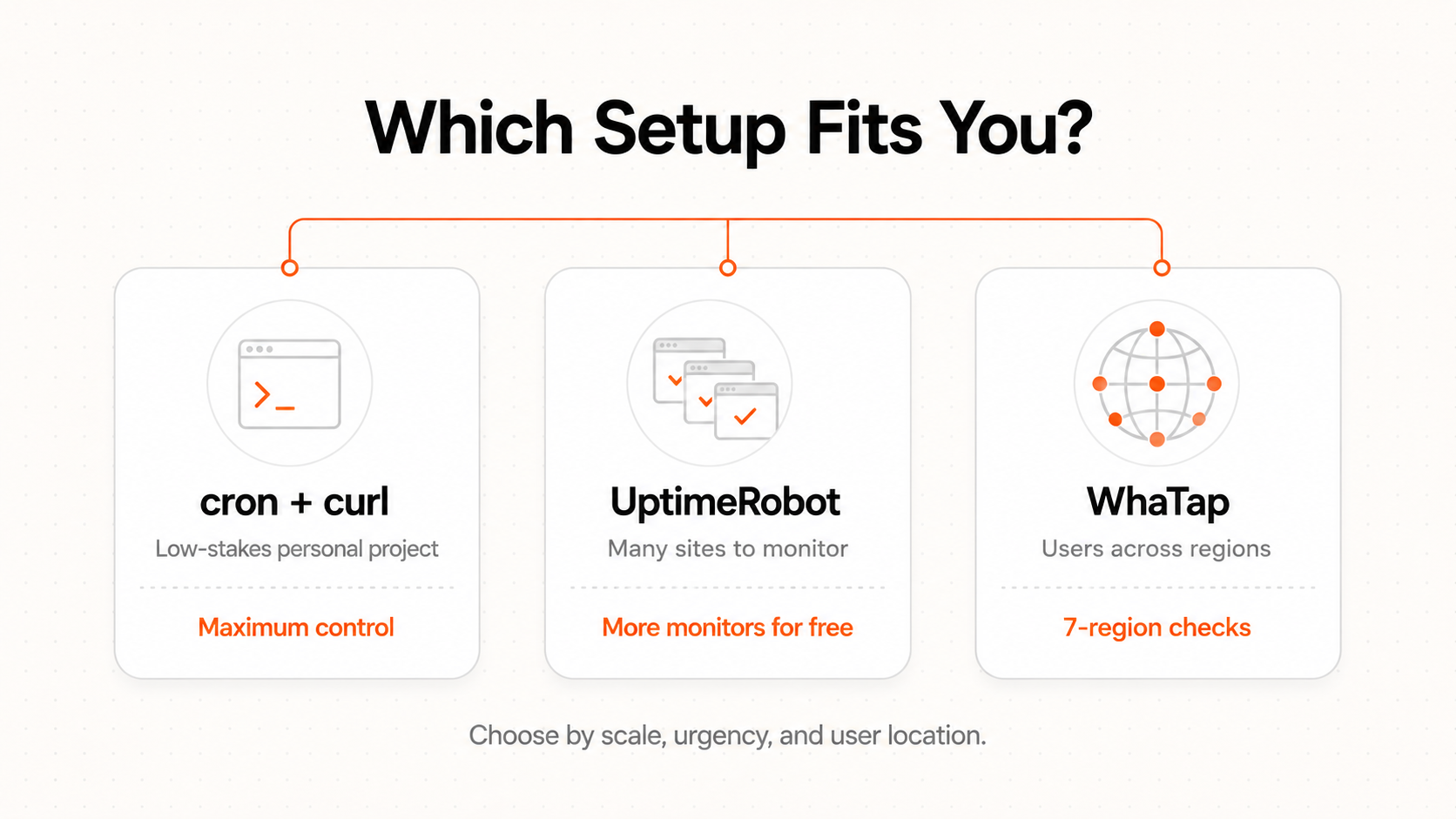
Put all three side by side, and the right call really does depend on your situation. If you've only got one or two sites or APIs, and downtime isn't urgent, cron + curl is enough. There's no real reason to add another tool. If you're running several sites and want to cover as many as possible for free, UptimeRobot is the stronger pick — as long as you're fine with an auto-assigned check region. But if you've got fewer sites and what matters most is knowing they look fine from multiple parts of the world — say, an AI app or service with users outside your home country — multi-region checking from the free tier makes us a better fit.
We're not the right answer for every situation. But if you want to see where your own setup falls, you can start free and compare it yourself.